
API Access Tokens UI
Use this UI to generated and manage API access tokens.
You can use the API Access Tokens UI to create and delete access tokens.
To access the UI, click Settings -> API Access Tokens.
The following UI is displayed:
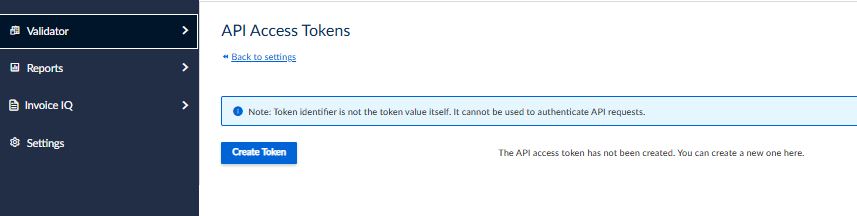
To create a token, click Create Token. The following UI is displayed:
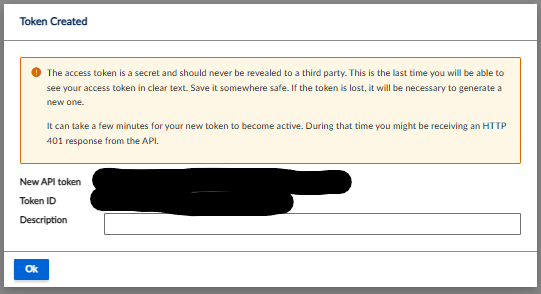
This UI contains the following fields:
| Field | Description |
|---|---|
| New API Token | This is the actual token. |
| Token ID | This is a unique ID for the token. |
| Description | You can specify a description for the token. |
Click Ok to save your changes.
Updated 4 months ago
Did this page help you?