
Entity Configuration UI
Use this UI to create and manage Entities and the associated tax registrations.
You can specify an entity to represent the party whom you want to send invoices. You can also add registration details for various tax schemes like VAT or IOSS.
Entity Configuration UI
You can use the Entity Configuration UI to create and manage entities.
To access the UI, click Entity Configuration. The following UI is displayed:
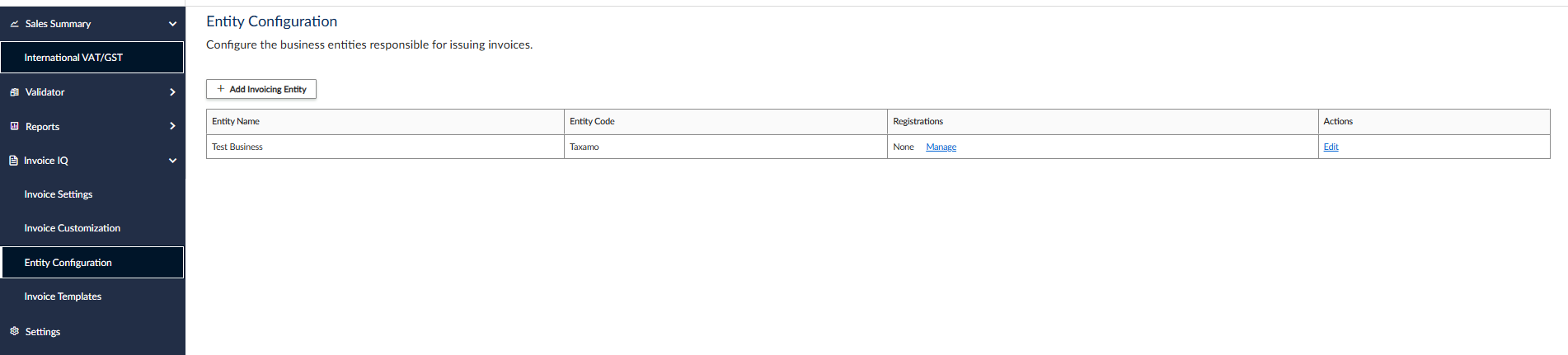
Entity Configuration UI
Add Invoicing Entity UI
To add an an invoicing entity, click Add Invoicing Entity.
The following buttons and fields are displayed:
| Button/Field | Required | Description |
|---|---|---|
| Select Tax Payer | No | Select this radio button if you want to choose a tax payer other than yourself. |
| Add New Entity | No | Select this radio button to create a new business entity. |
| Taxpayer | Yes | This option is only available when you click the Select Tax Payer button. You can choose the tax payer from the dropdown menu. |
| Entity code | Yes | This option is only available when you click the Add New Entity button. Specify a code that will be used as the entity's ID. |
| Business Name | No | Add a name for the entity. |
| Invoice Number Format | Yes | Choose the format that you want to use for the invoice number. You can choose from {{territoppry}{year}-{index}} and {{territoppry}{year}-{month}-{day}-{seller_code}{index}}. |
| Yes | Specify an email address. | |
| Address | Yes | Specify a postal address. |
| Country | Yes | Specify the country. |
| Street Address 1 | Yes | Specify the first line of the street address. |
| Street Address 2 | Yes | Specify the second line of the street address. |
| City | Yes | Specify the city. |
| County / Province | Yes | ? |
| State/Province/etc. | Yes | ? |
| Zip/Postal Code | Yes | Specify a postal code. |
Add Registration UI
To add a registration,. click Add Registration:
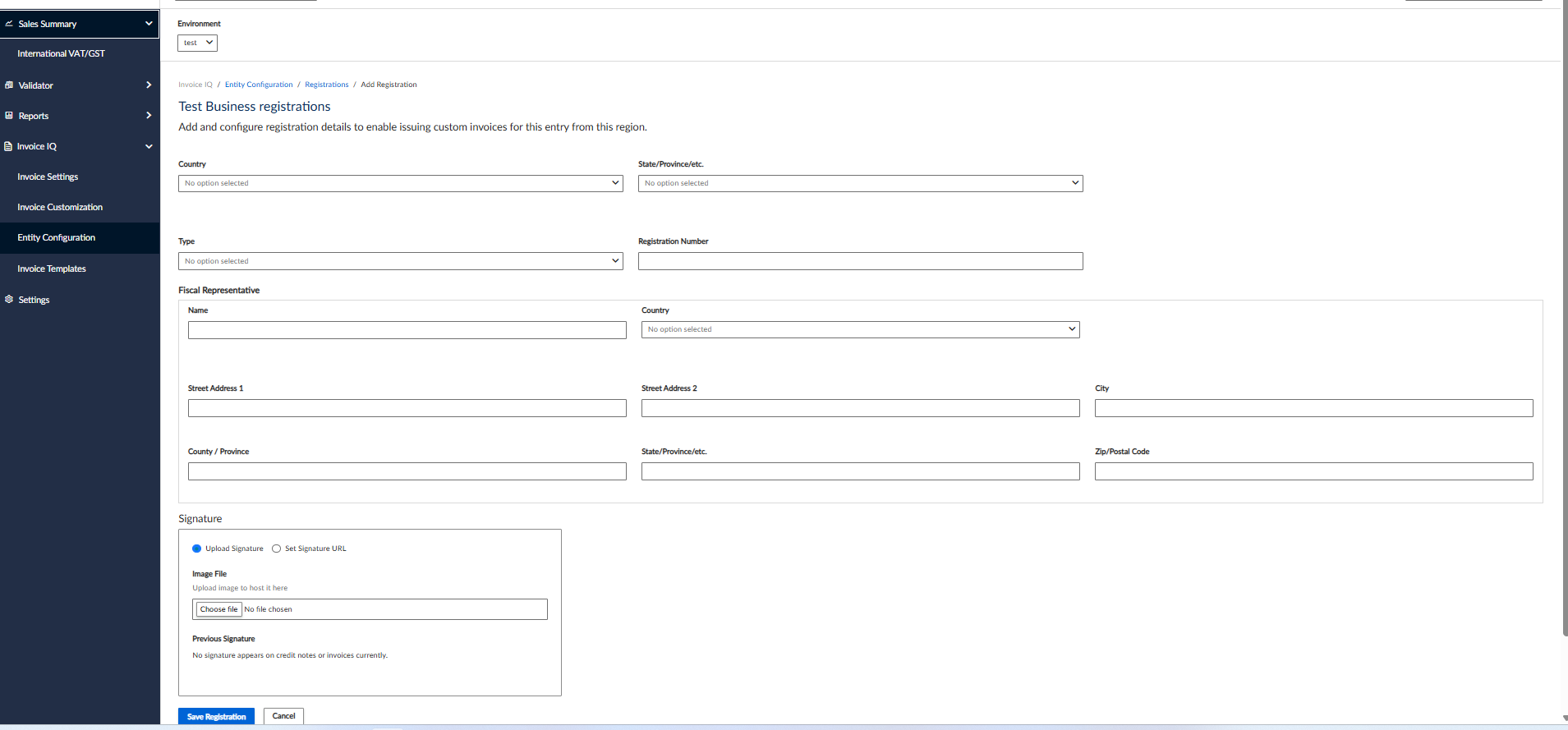
Add Registration UI
The following buttons and fields are displayed:
| Button/Field | Description |
|---|---|
| Country | Select a country from the list. |
| State/Province/etc. | Specify a country subdivision like a state or province. |
| Type | Select the scheme to which the ID belongs. For example VAT. |
| Registration Number | Specify your Tax ID. For example, your VAT number. |
| Fiscal Representative | Groups information about the fiscal representative. |
| Name | The representative's name. |
| Country | The representative's country. |
| Street Address 1 | The first line of the representative's address. |
| Street Address 2 | The second line of the representative's address. |
| City | The representative's city. |
| County / Province | ? |
| State/Province/etc. | ? |
| Zip/Postal Code | The ZIP or Postal code of the representative's address. |
| Signature | This section groups information about the signature files. |
| Upload Signature | Use this button to upload a file to serve as a signature. |
| Set Signature URL | Use this button to retrieve the signature file from the specified URL. |
| Previous Signatures | Any previously uploaded signatures are displayed here. |
Updated 4 months ago
Did this page help you?