
Product Delivery UI
Use this UI to define tax exceptions for goods.
Exceptions can be used to configure the service so certain goods are excepted from tax.
To open the UI, click Settings -> Product Delivery.
The following UI is displayed:
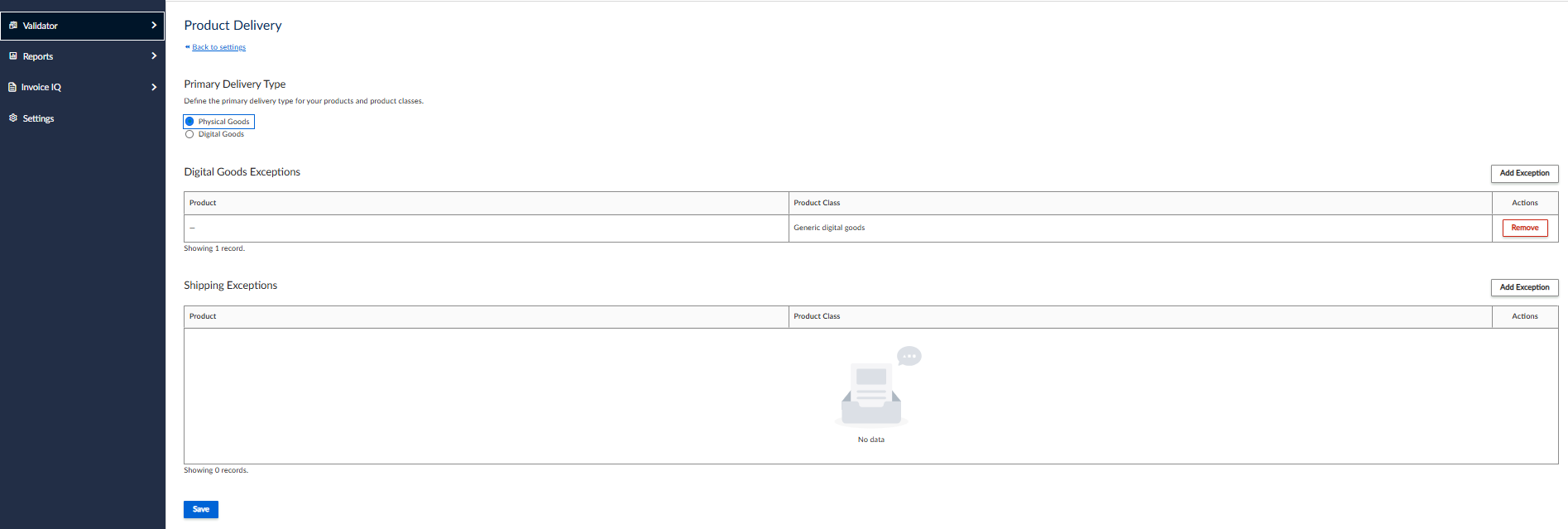
Product Delivery UI
Goods Exceptions UI
You can create and add an exception for either digital or physical goods.
Product class
To create an exception some goods, click Add Exception. The following UI is displayed:
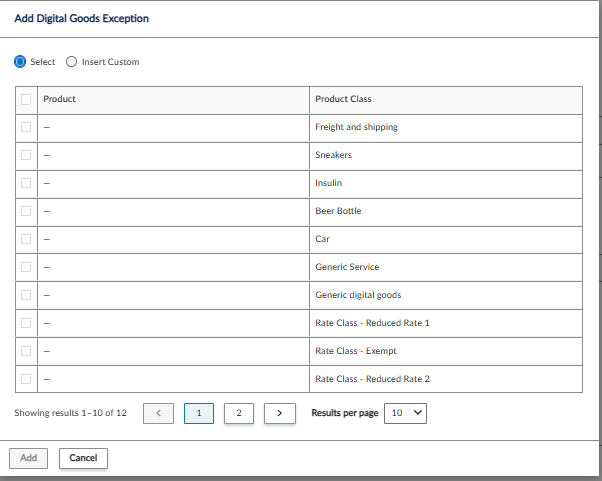
To create an exception for a product class, click Select and choose a Product Class from the list.
Custom Product or Product Class
To specify a custom product or product class, select Insert Custom. The following UI is displayed:
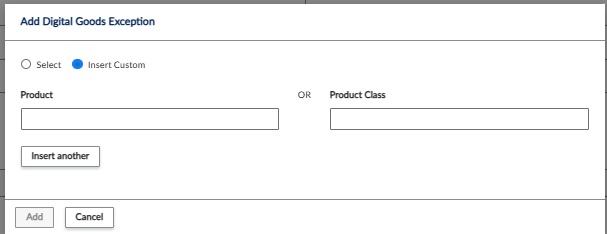
Custom Exception UI
You can specify a product in the Product field or a product class in the Product Class field.
To add a second one, click Insert another.
Shipping Exceptions
You can also add exceptions for shipping.
Updated 4 months ago