
API Access Tokens
Create, view, and manage access tokens for authenticating API requests.
The API Access Tokens feature enables administrators to create, view, and manage access tokens for authenticating API requests. Existing access tokens appear in the Tokens section, which displays each token's description, creation date, and identifier.
NoteThis feature applies only to access tokens created by version 3.0 users in Vertex for e-Commerce or Vertex for Marketplaces. Vertex O Series Online Commerce users might need this feature to support legacy API authentication.
Click Create Token to add a new access token for authentication.
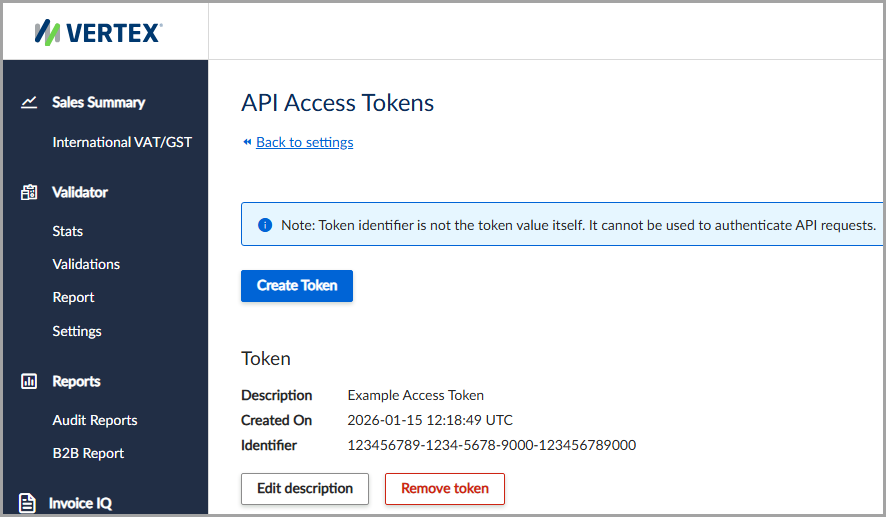
View a list of existing access tokens or create a new one.
Authenticate the access token
The service generates a unique token identifier and token value. The token identifier is different from the token value and cannot authenticate API requests. Use the token value to authenticate API requests.
Never share the token value. The service displays the token value only once. Copy the token value to your clipboard or record it manually. After you exit the page, you cannot retrieve the token value. If you lose the token value, create a new access token with a new token value.
NoteA new access token can take several minutes to become active. During this activation period, an API request may return an
HTTP 401 Unauthorizederror message.
Create the access token
To create the access token, follow these steps:
- Select Settings > API Access Tokens.
- Click Create Token.
- Copy the token identifier to your clipboard or manually record it.
- Click OK to save your changes.
Field descriptions
The following table describes the available fields:
| Field | Description |
|---|---|
| New API Token | The service-generated access token that authorizes access to a specific resource. |
| Token ID | The service-generated identifier used to verify the access token's identity. |
| Description | A user-defined description for the access token. |
Updated 3 months ago