
Validations
Search, review, and monitor tax number validation activities.
The Tax Number Validations feature lets you search, review, and monitor tax number validation requests across supported countries and regions. You can view validation results and the current status of each request. The validation results include data from all validation endpoints.
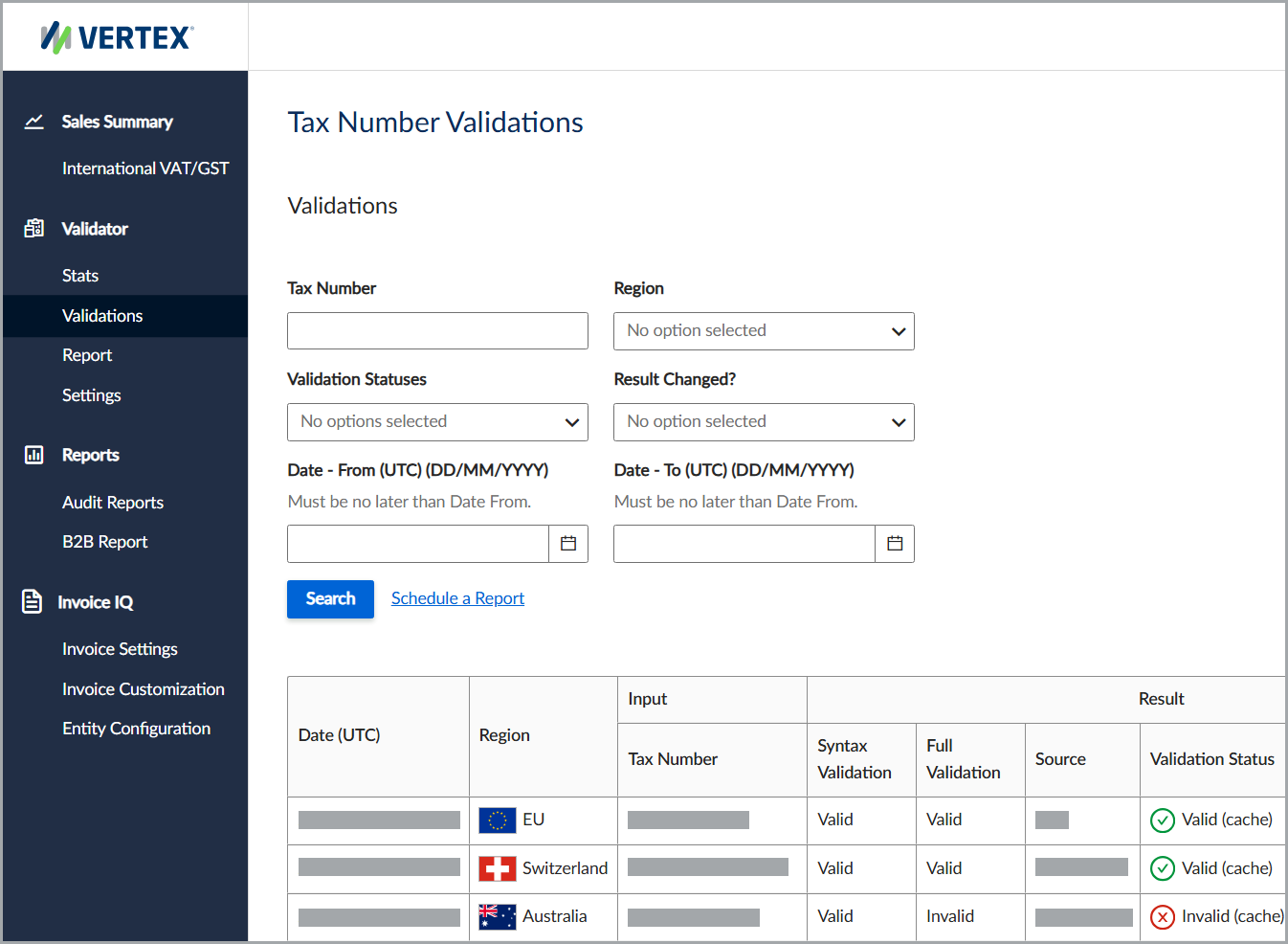
The validation results include data from all validation endpoints in the service.
Search for validation requests
To search for tax number validation requests, follow these steps:
- Select Validator > Validations.
- Enter all applicable information, noting all required fields.
- Click Search to view the matching tax number validations. For a recurring report, click Schedule a Report.
Filters
This table lists the available filters and their descriptions.
| Field | Description |
|---|---|
| Tax Number | The desired tax number. |
| Region | The country or region where the service validated the tax number. |
| Validation Statuses | The validation status. |
| Results Changed | Indicates whether the report includes only validation results with changed statuses. |
| Date - From (UTC) | The report start date. |
| Date - To (UTC) | The report end date. |
Results
This table lists the available fields and their descriptions.
| Field | Description |
|---|---|
| Date (UTC) | The date and time in the service's default time zone. |
| Region | The country or region where the service validated the tax number. |
| Tax Number | The tax number provided in the request. |
| Syntax Validation | The syntax validation result. |
| Full Validation | The full validation result. |
| Source | The data source used for the full validation. |
| Validation Status | The current validation processing status. |
| Business Name | The business name associated with the tax number. |
| Result Changed | Indicates whether the validation result changed. |
| Validation Status for the Previous 5 Validations | The status of the previous five validations. |
| Actions | Available actions for the request. |
Updated 3 months ago
Did this page help you?