
Navigate the User Interface
Learn about the user interface to operate and configure the service.
The user interface includes three main panes that help you manage context, navigate features, and configure your setup:
- The contextual bar at the top of the window lets you switch products, partitions, business events, and effective dates. You also use it to log out.
- The navigation menu provides access to features organized by functional areas.
- The feature pane displays the currently selected feature and serves as the workspace for configuration, management, and reporting activities.
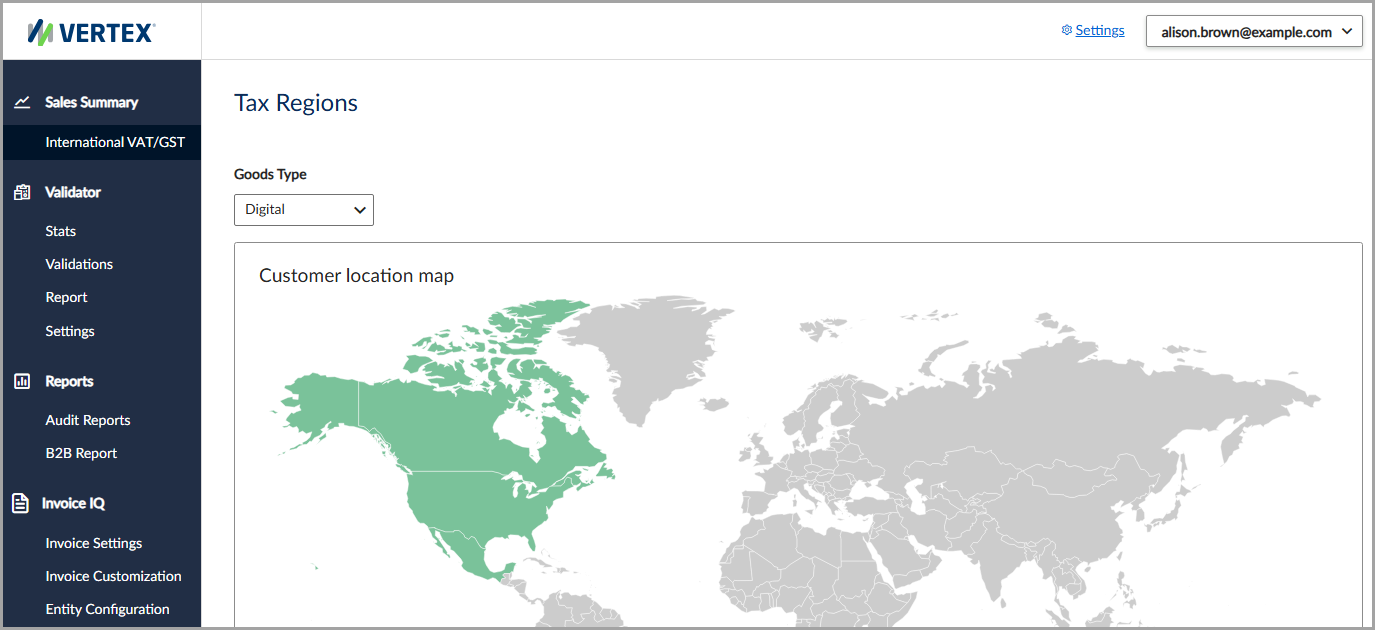
The user interface includes the contextual bar, navigation menu, and feature pane.
Navigate the user interface
The following user interfaces are available:
Updated 3 months ago
Did this page help you?