
Sales Summary
View the global customer sales distribution for each country and region.
The Sales Summary feature, also called Tax Regions or International VAT/GST, provides an at-a-glance global view of customer sales distribution based on physical or digital goods. It highlights countries and regions where customer sales activities exist.
The Customer Location Map uses the following status legend:
- Enabled (green)—Locations where the service is active.
- Disabled (red)—Locations where the service isn't active.
- Unsupported or no sales (gray)—Locations with no supported activity or no recorded sales.
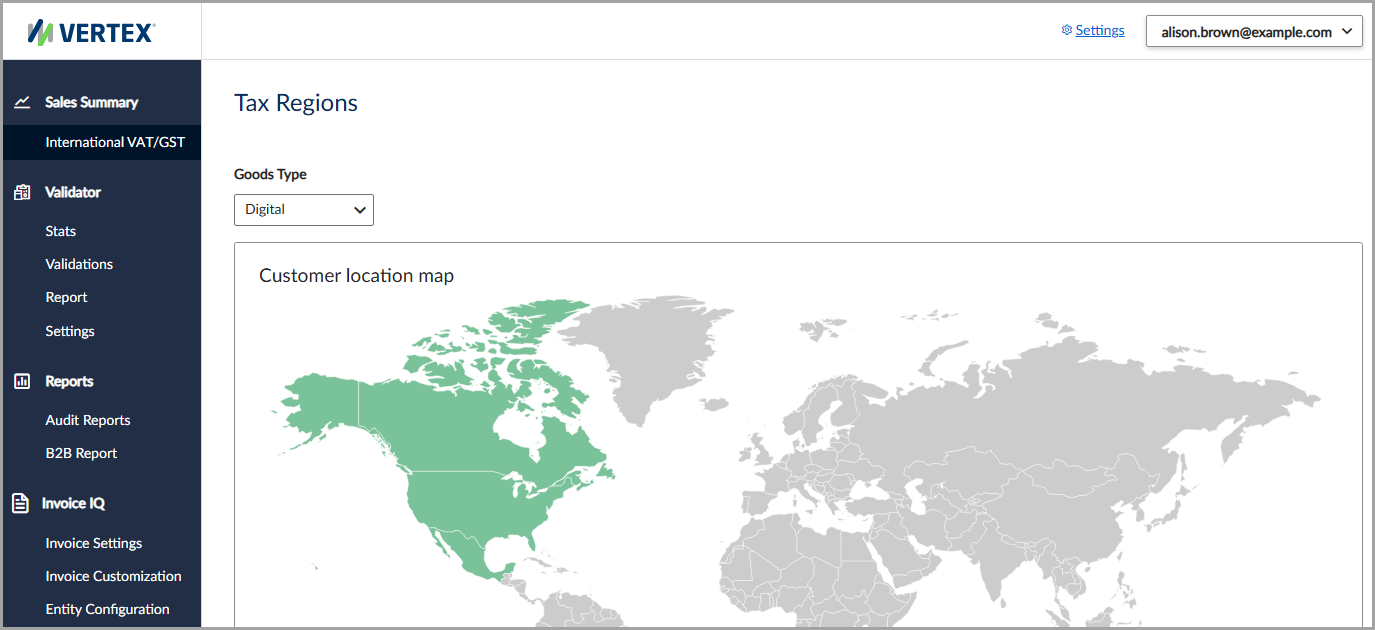
Use the Sales Summary feature to view customer sales distribution in the service.
View the sales summary
To view the sales summary, follow these steps:
- Select Sales Summary > International VAT/GST.
- In the Goods Type field, select Physical or Digital from the dropdown list.
- Hover your mouse over a country or region to view the customer sales distribution.
Updated 3 months ago
Did this page help you?