
Invoice Customization UI
You can use this UI to customize your invoices.
To access the UI, click Invoice Customization.
Invoice Customization UI
The Invoice Customization UI shows the customizations that you have already created, which you can edit:
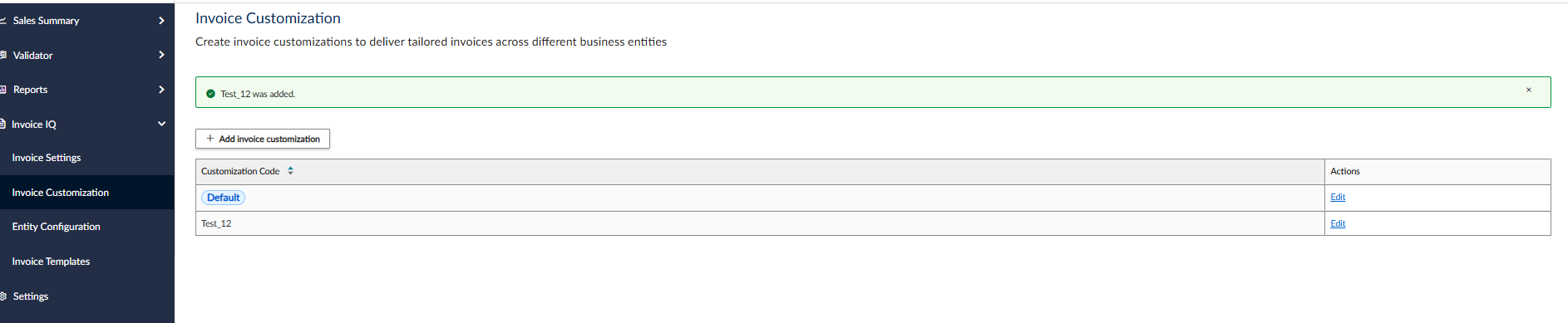
Invoice Customization UI
Add Invoice Customization UI
To add a new customization, click Add Invoice Customization. The following UI is displayed:
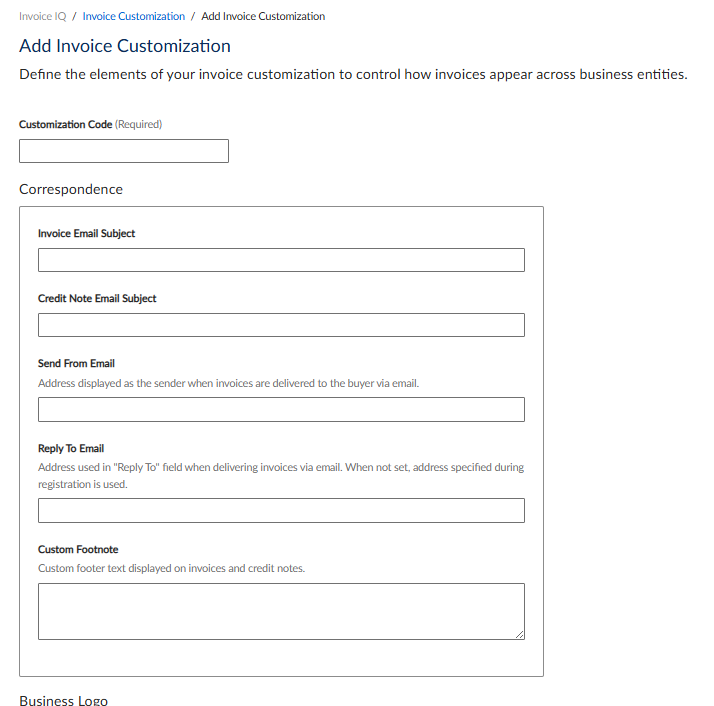
These settings are explained in the following table:
| Setting | Description |
|---|---|
| Customization Code | Add a code that will be used to identify the customization. |
| Correspondence | Groups correspondence information. |
| Invoice Email Subject | Specify a subject line for invoice emails. |
| Credit Note Email Subject | Specify a subject line for credit note emails. |
| Reply To Email | Specify an email address for replies. |
| Custom Footnote | Specify a footnote. |
Business Logo UI
You can add an image file or URL with your business logo in the Business Logo section:
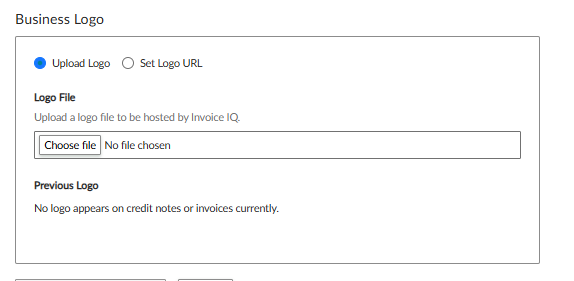
These settings are explained in the following table:
| Setting | Description |
|---|---|
| Upload Logo | Select this option to upload an image file that will be used as a logo. |
| Set Logo URL | Select this option to retrieve the logo from another location via URL. |
| Choose File | If you are uploading a file, use this button to choose the file. |
Any logos that have already been configured are displayed in the Previous Logo section.
Updated 4 months ago
Did this page help you?