
Invoice Templates UI
Use this UI to create and manage invoice templates.
To open this UI, click Invoice Templates.
To create a template, click Create template.
Invoicing - Templates UI
You can use the Invoicing - Templates UI
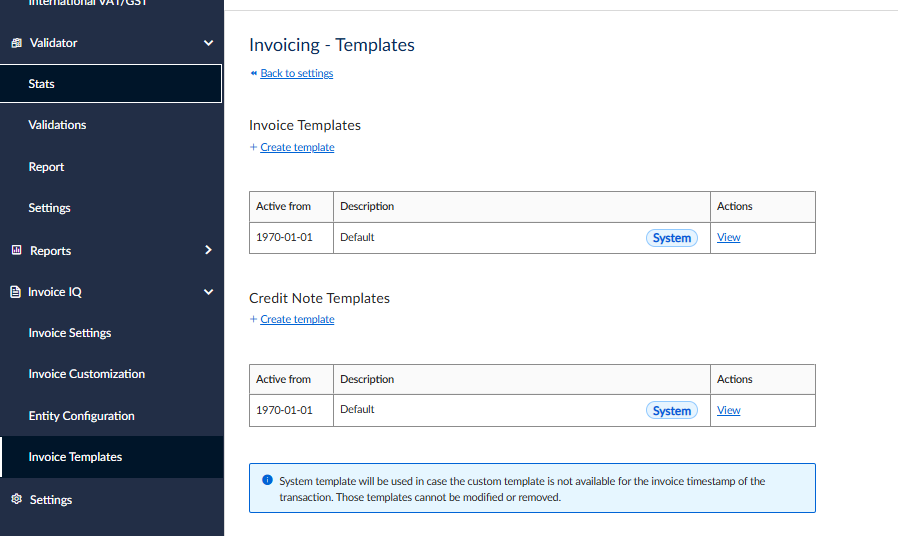
Invoicing - Templates UI
This table explains the fields in this UI:
| Field | Description |
|---|---|
| Active from | The date from which the setting is applied. |
| Description | A description of the template. |
| System | This denotes that the template is a system template. This means it will be used when custom templates are not available. |
| Actions - View | View the template. |
Invoice Template UI
When you create, view or edit a template, the Invoice Template UI is displayed:
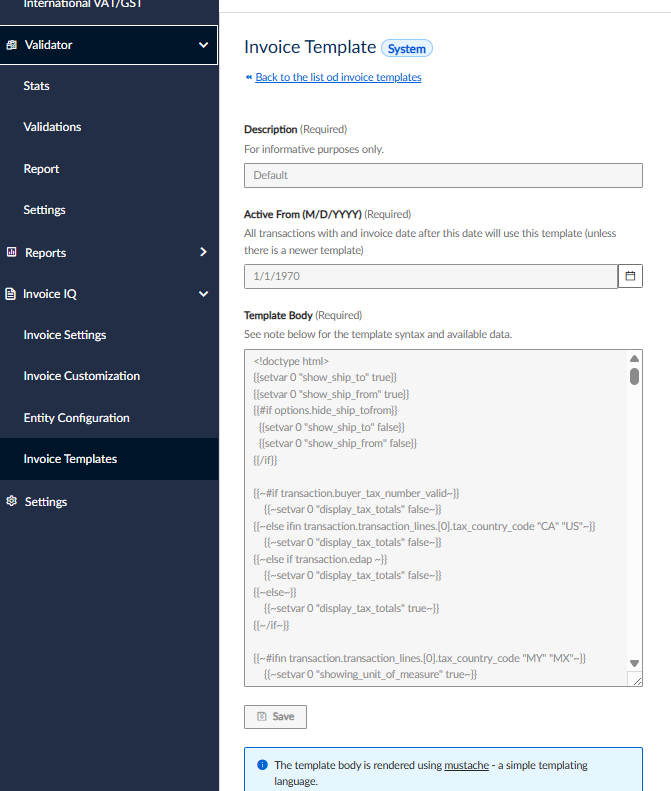
Invoice Template UI
This table explains the fields in this UI. All of these are required:
| Field | Description |
|---|---|
| Description | Specify a description for the template. |
| Active from (M/D/YYY) | Specify the date from which the template will be active. |
| Template Body | Specify the body of the template. |
Updated 4 months ago
Did this page help you?