
Vertex e-Invoicing API: Example Process Flow
This topic provides an example process flow for the Vertex e-Invoicing API.
The flows are divided into inbound and outbound process flows.
Outbound process flow
The following diagram shows an example outbound process flow. In this example, the e-invoices are sent using VRBL to a Tax Authority. Your implementation might differ due to your requirements:
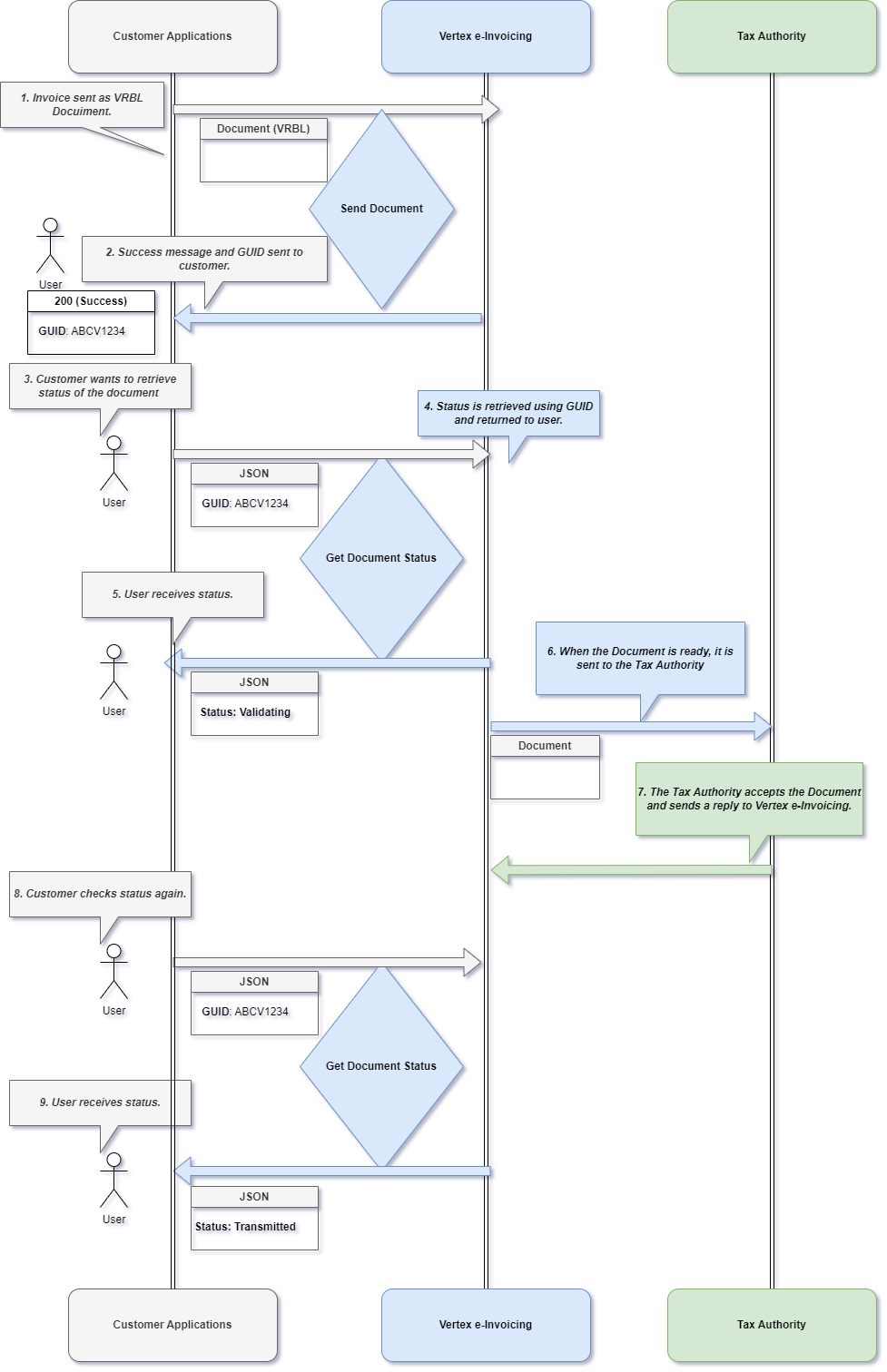
Outbound Process Flow
The steps are:
- Invoice is sent as VRBL Document. A Send Document request is sent to Vertex e-Invoicing.
- Vertex e-Invoicing sends a success message and GUID to the user.
- The user wants to retrieve the status. They send a Get Document Status request, specifying the same GUID as was returned in the previous step.
- Vertex e-Invoicing retrieves the status and returns it in the response to the request.
- The user receives the status.
- When the Document is ready (validated and transformed as per specific country mandate), the service sends it to the Tax Authority or other recipient per the configuration.
- The Tax Authority accepts the Document and sends a reply to the service. Finalized XML, PDF, and signature files (if applicable) are available in the service's Dashboard after this step is complete.
- The user checks the status again as they did in step 3, using another Get Document Status request.
- The user receives the status from Vertex e-Invoicing in the response to the Get Document Status request.
Inbound process flow
The following diagram shows an inbound process flow. In this example, the e-invoice is sent from a suppler to your applications.
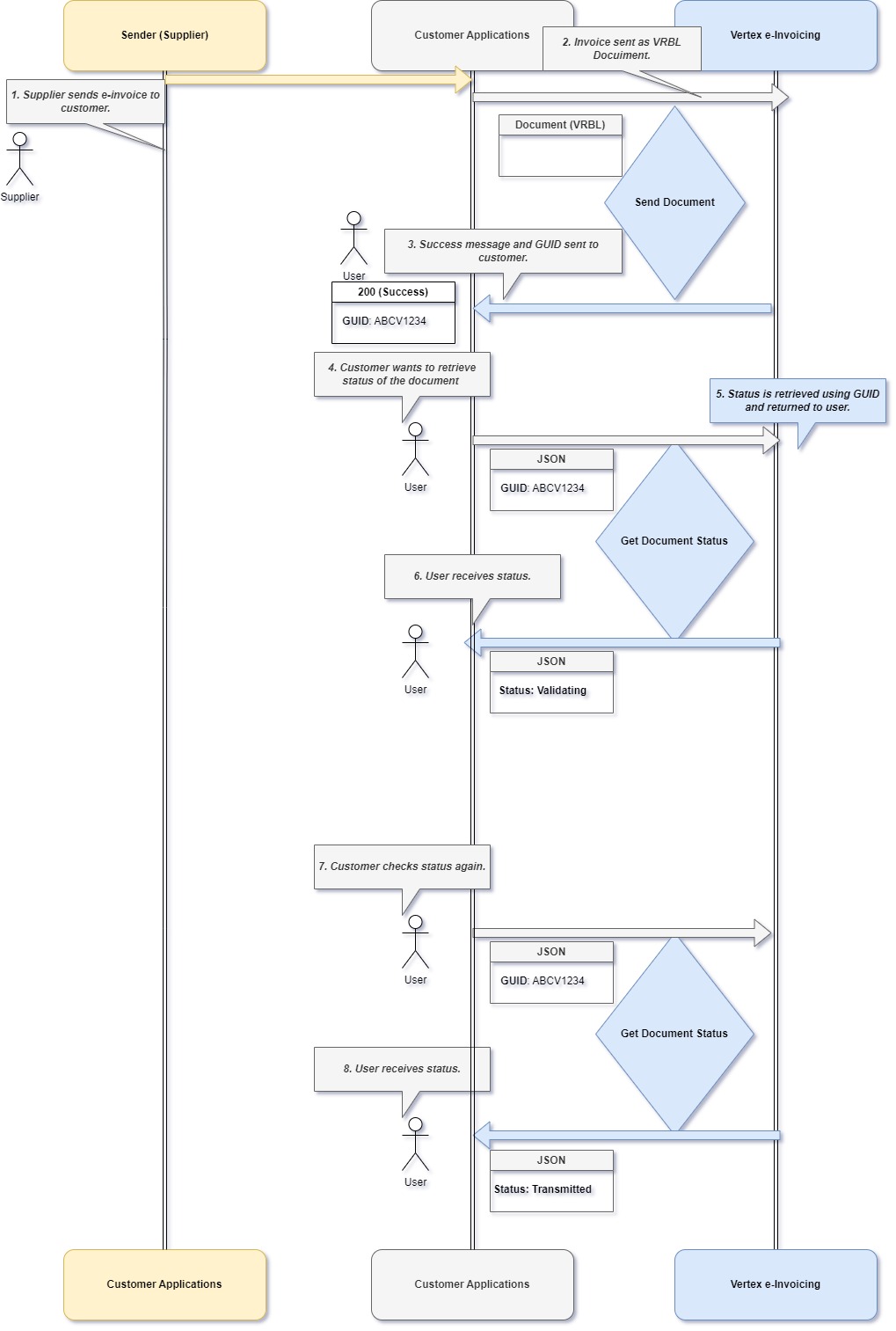
Inbound Process Flow
The steps are:
- Supplier sends a B2B e-invoice to the Vertex e-Invoicing customer's applications.
- Invoice is sent as VRBL Document. A Send Document request is sent to Vertex e-Invoicing.
- Vertex e-Invoicing sends a success message and GUID to the user.
- The user wants to retrieve the status. They send a Get Document Status request, specifying the same GUID as was returned in the previous step.
- Vertex e-Invoicing retrieves the status and returns it in the response to the request.
- The user receives the status.
- The user checks the status again as they did in step 3, using another Get Document Status request.
- The user receives the status from Vertex e-Invoicing in the response to the Get Document Status request.
In this section
Updated 4 months ago
Did this page help you?